MixBrush()
Posted: Tue Jan 17, 2023 1:47 pm
I create Brush 1 by drawing a path in it, than I load a second brush from png file, how can merge this two brushes?
I using MixBrush(1, 2, 128) and then I save Brush 1 as png, but second brush is not merged to first
This is what I have in Display
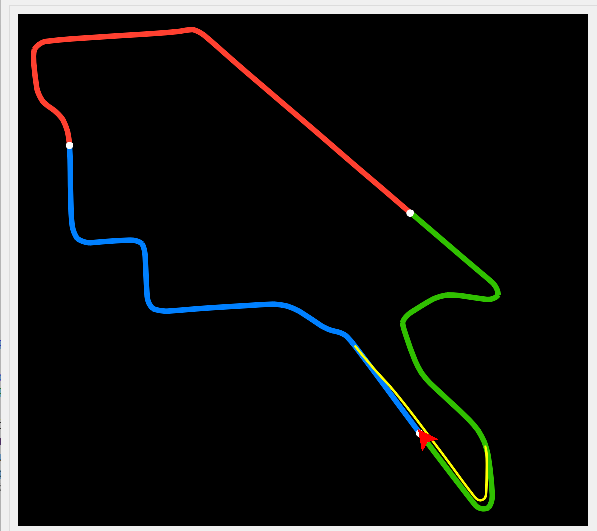
Where the path is a Brush 1, and the red arrow is a Brush 2
This is the image saved using SaveBrush()
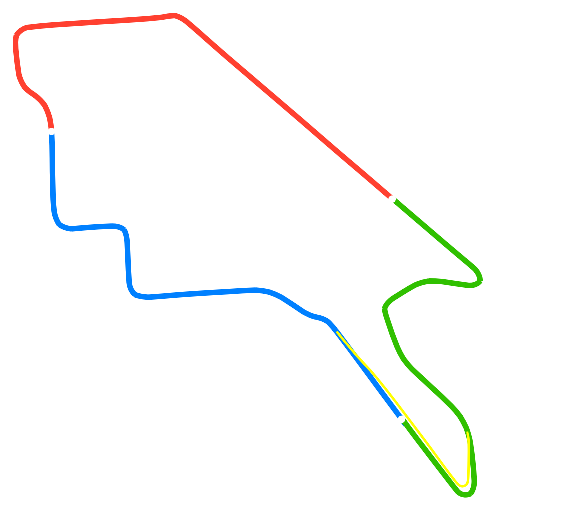
It seems that the MixBrush() function doesn't work.
I using MixBrush(1, 2, 128) and then I save Brush 1 as png, but second brush is not merged to first
This is what I have in Display
Where the path is a Brush 1, and the red arrow is a Brush 2
This is the image saved using SaveBrush()
It seems that the MixBrush() function doesn't work.